Free writing software you host yourself
A quiet place to write, on a server you own.
Typenik is a calm, capable word processor that lives on your own web space. Draft articles and whole novels, swap comments and tracked changes with editors who use Word, and keep every word in a plain file that belongs to you. No subscription. No database. No one else’s cloud.
- Subscription: Off
- Tracking: Off
- Database: None
- Your files: On your server
Why Typenik
Everything a working writer needs. Nothing you have to pay for twice.
It feels like paper
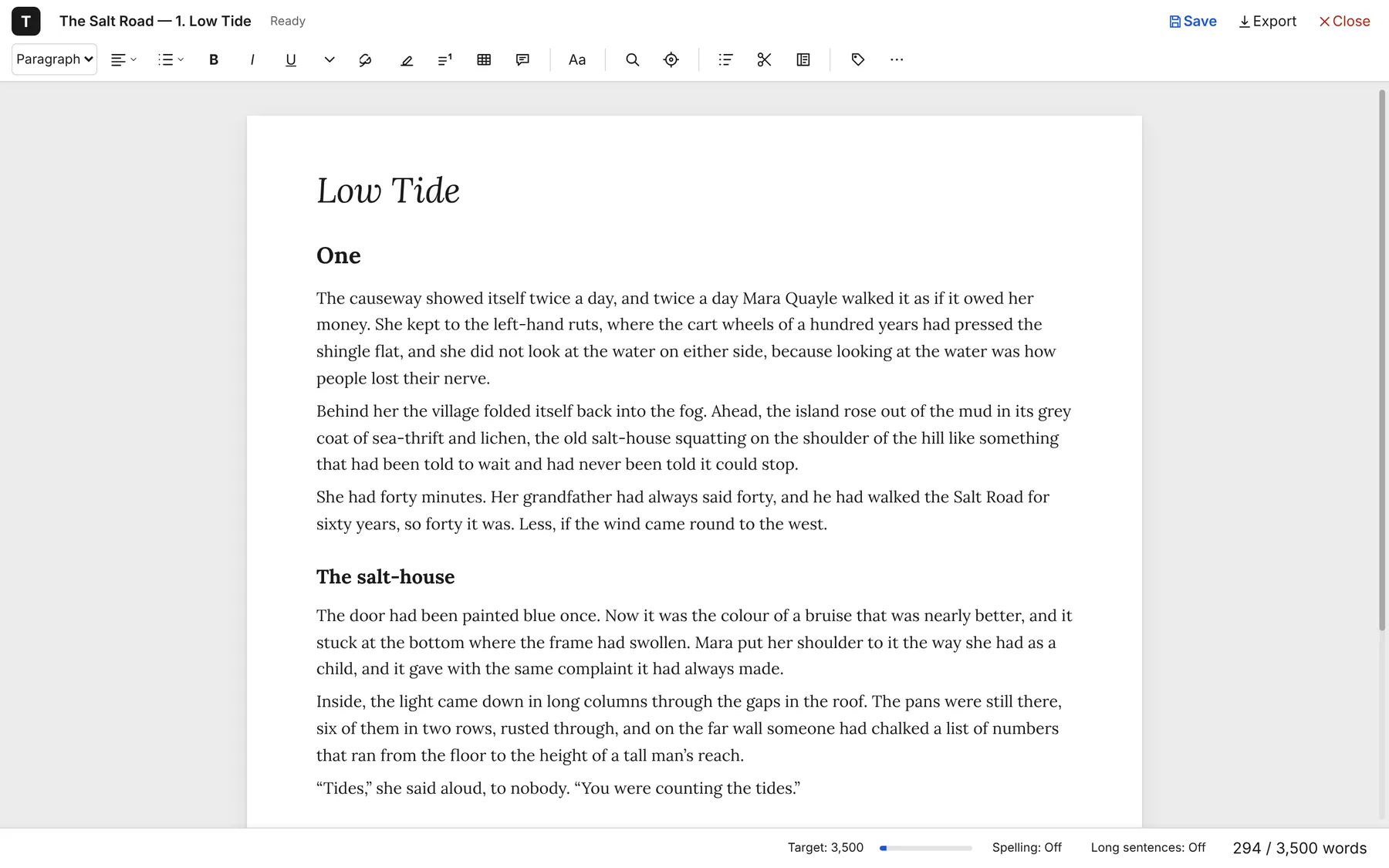
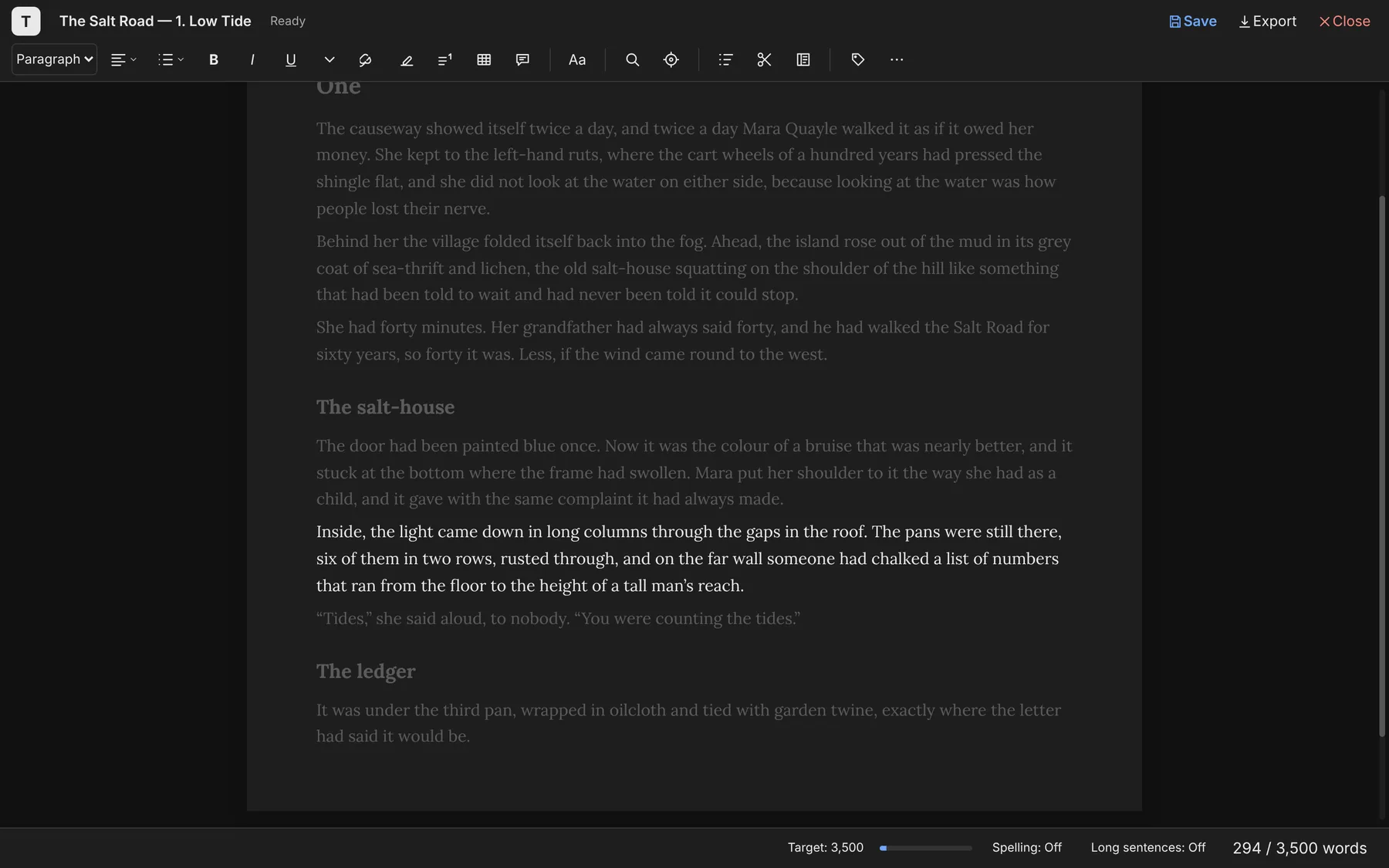
A clean page, a slim toolbar you can hide, and spelling squiggles off until you want them. Focus mode, dark mode and full screen are a keypress away.
It’s built for long work
Gather chapters into a book and edit them as one text. Fold sections away, drag them into a new order, and keep cut passages safe for later.
It speaks Word
Comments, replies, tracked changes, footnotes and tables go out to Word and LibreOffice and come back again, so your editor never has to change how they work.
It’s yours, outright
Each document is one readable file in a folder on your server. Copy it, back it up, open it in a text editor. If you ever leave, nothing is locked away.
Writing
The tools stay out of sight until you reach for them.
Typenik behaves like the word processor you already know – titles, headings, quotes, lists, footnotes, tables – but opens on a clear page with nothing nagging at the edges. Type ## for a heading or ** for bold and carry on.
- Focus mode hides everything but your words and keeps the line you’re on at eye level
- Long-sentence warnings underline the ones that run on
- Word-count targets with a progress bar in the status line
Long work
Write a book as chapters. Read it as one.
Keep each chapter in its own document, then gather them into a book and edit straight through from start to finish. The outline shows the whole shape; drag a chapter title to move it. Passages you cut go to the Cuttings sidebar, ready to put back exactly where they came from.
More about long work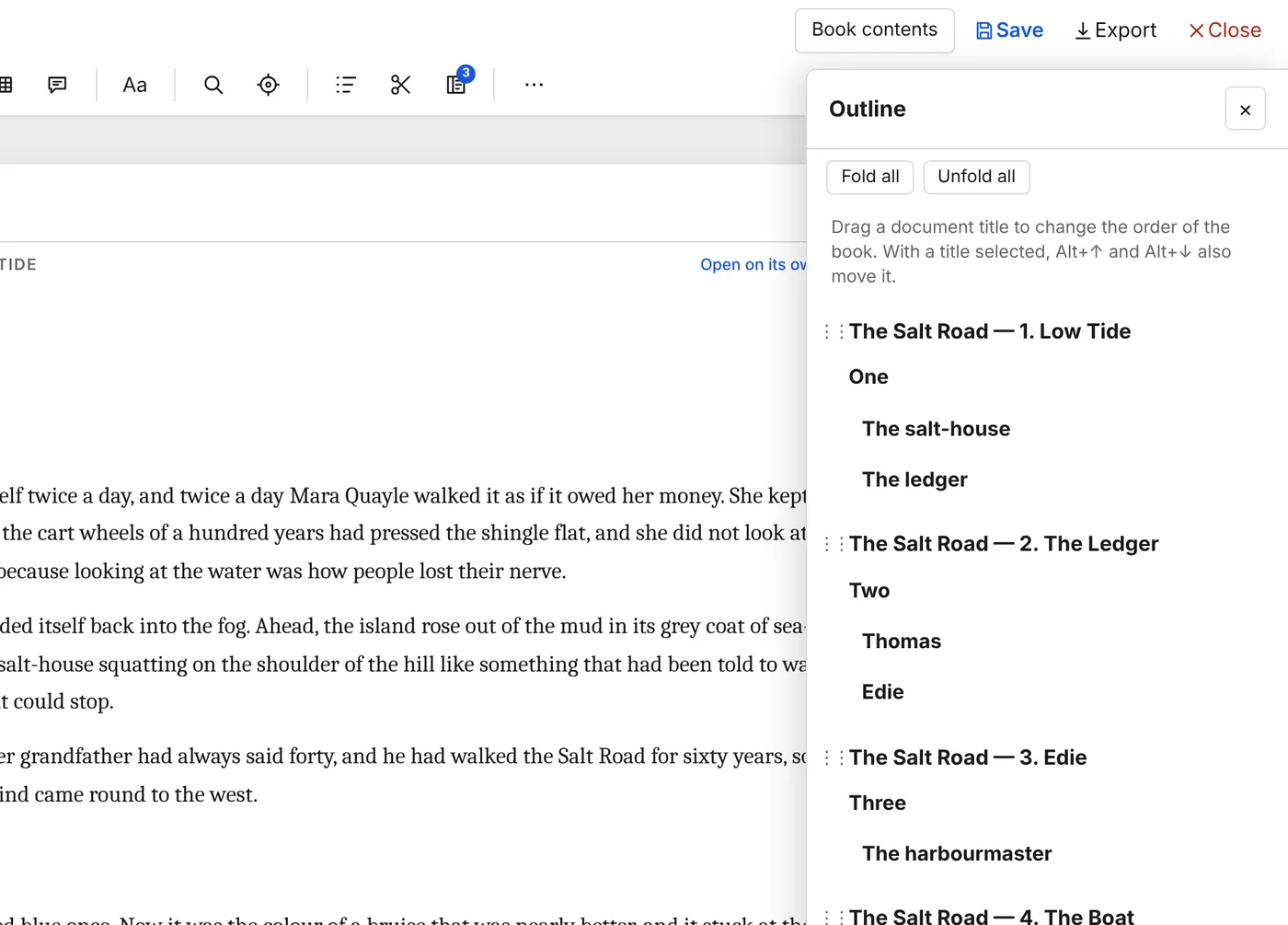
Review
Comments and tracked changes, both ways.
Send a draft out as a Word file. When it comes back covered in your editor’s notes and changes, import it: every comment and reply sits in a panel beside the text, and every change waits for you to accept or reject it – one at a time, all at once, or all of one person’s.
More about working with Word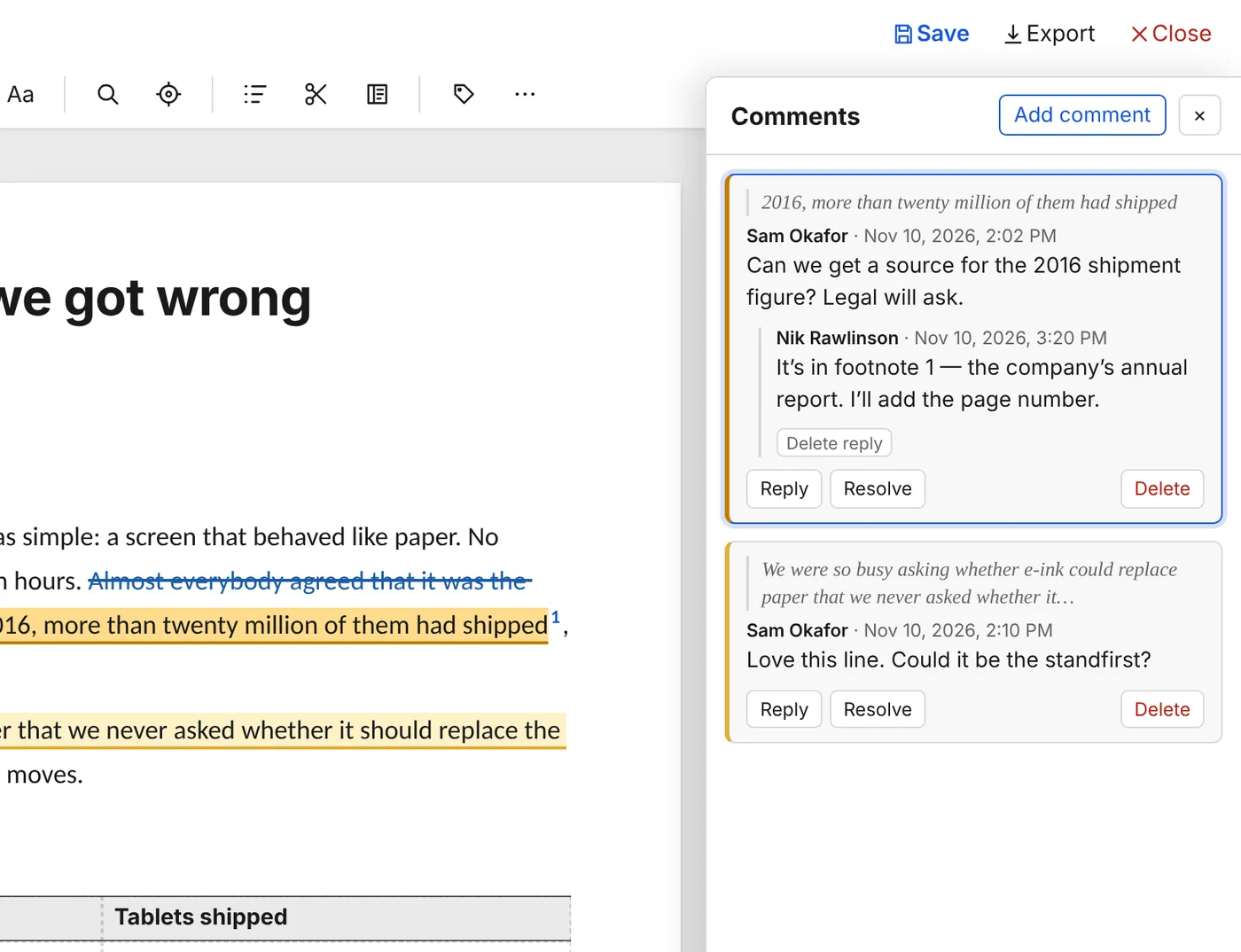
The proof
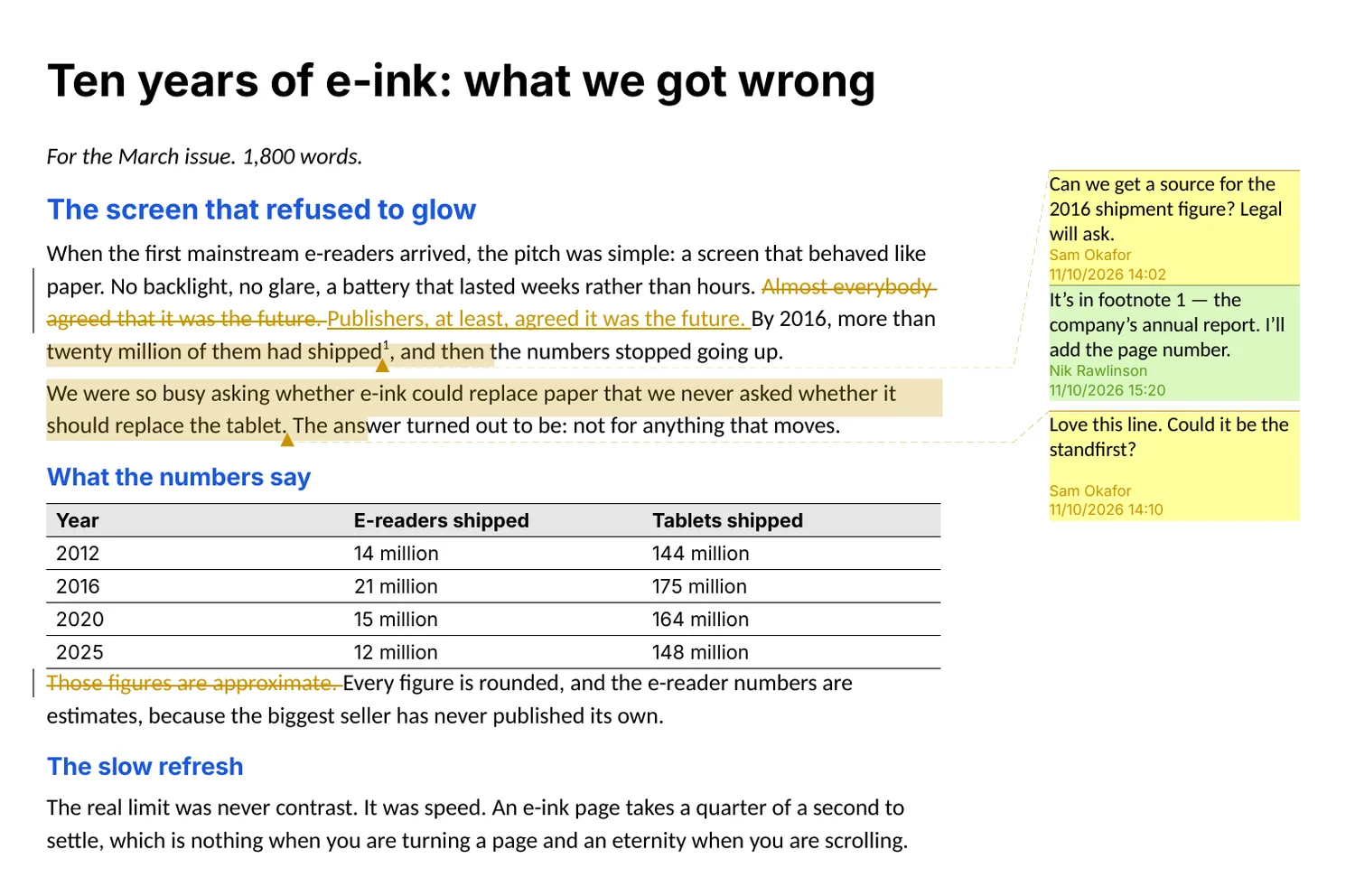
It opens in LibreOffice exactly as you left it.
This is the same article, exported from Typenik and opened in LibreOffice: the comments in the margin, the reply threaded beneath, the tracked changes, the table and the footnote, all where they should be. Word gets the same file. Typenik even carries its fonts inside the document, so lines break in the same places on your editor’s computer.
Safety
Saved as you pause. Recoverable when you change your mind.
Typenik saves whenever you stop typing and keeps restore points as you go, so you can compare any earlier version with today’s, paragraph by paragraph, before you bring it back. Your browser holds a recovery copy too, in case the connection drops mid-sentence.
More about your files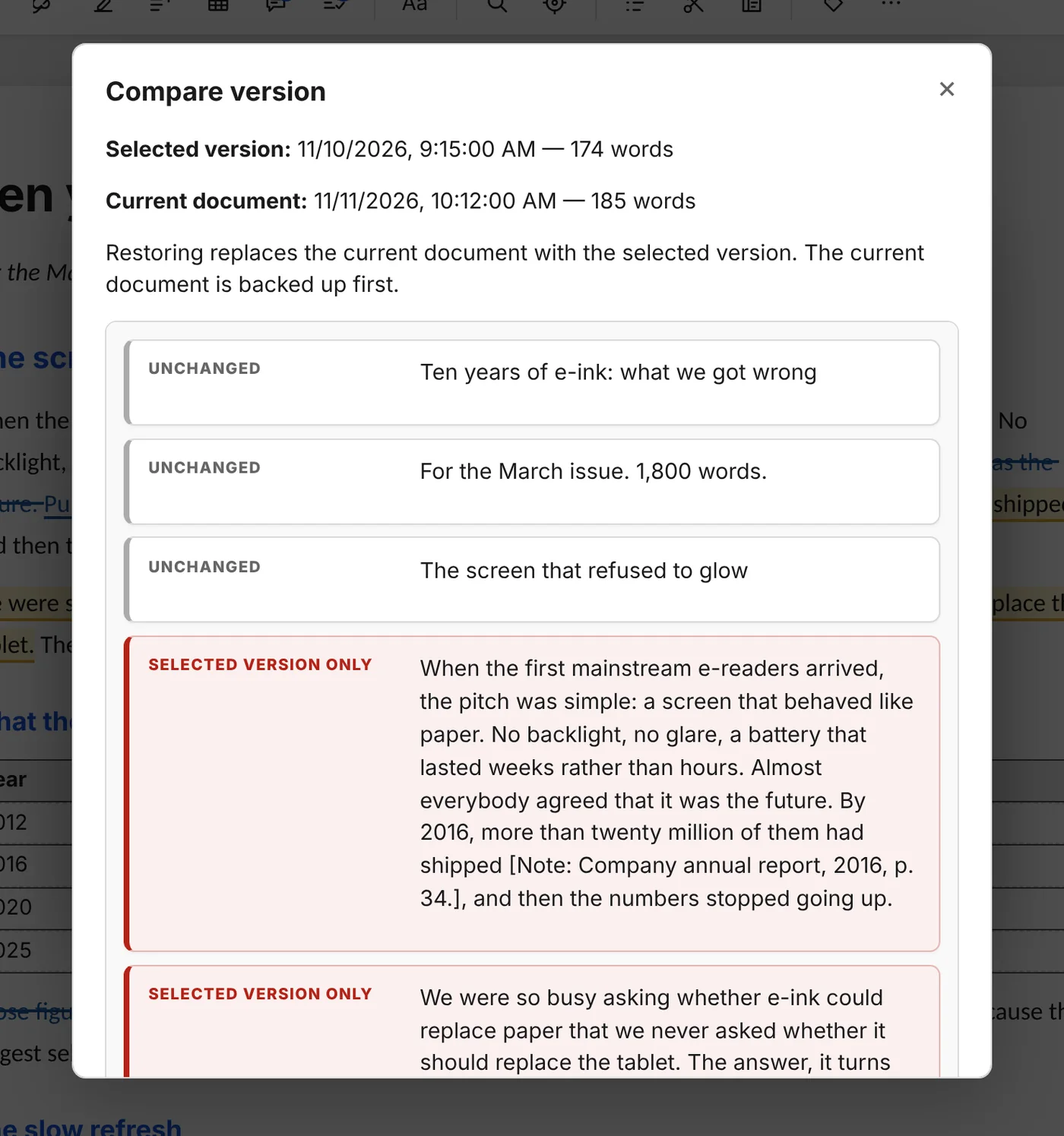
Everywhere you write
Your desk, your laptop, your phone.
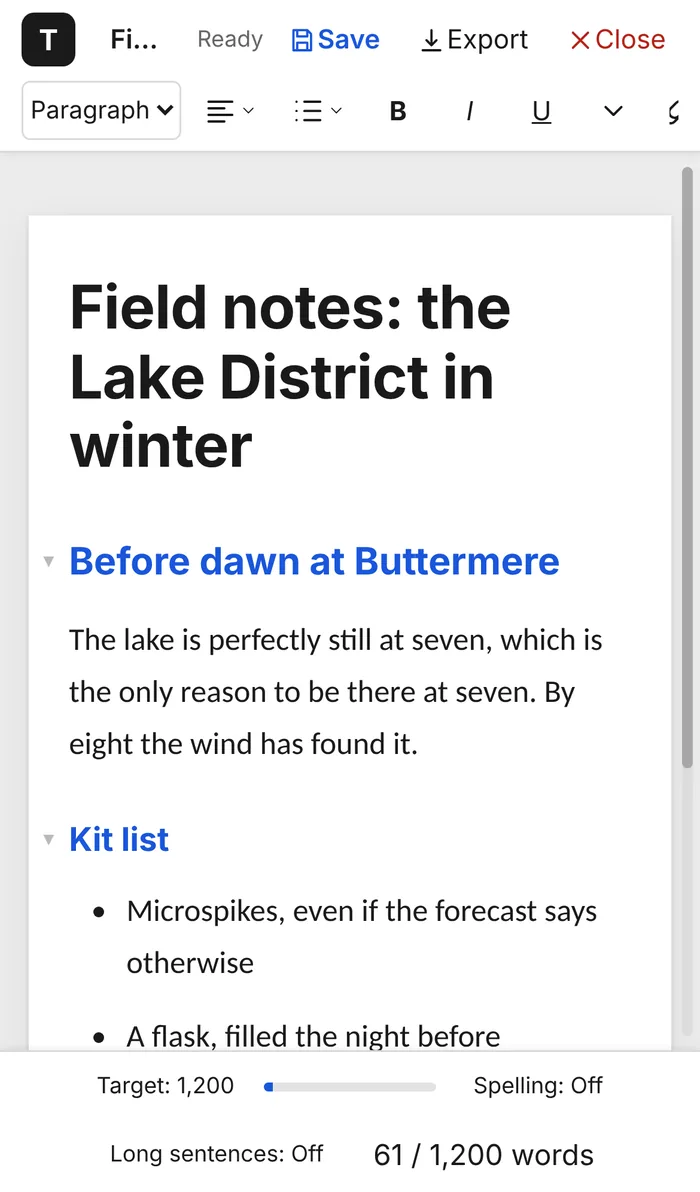
Because Typenik runs on your server, every device with a browser opens the same documents, as you last saved them. The documents page sorts them into projects and tags, and keeps the things you were writing most recently at the top.
- Projects with colours, tags and search across titles and text
- Share links that expire, with the downloads you choose
- One click backs up everything as a ZIP, encrypted if you like
The small things
A hundred quiet kindnesses.
Fonts that match Office
Caladea and Carlito share their letter widths with Cambria and Calibri, so pages break where Word breaks them.
Curly quotes and dashes
Straight quotes curl, -- becomes an en dash and ... an ellipsis, as you type.
Clean pasting
Paste from anywhere and keep the structure, without somebody else’s fonts and colours.
A layout for each document
Fonts, sizes and spacing for every style, set once for new documents or per piece.
Statistics
Words, sentences, reading time, words today – and an estimate of how many pages it fills.
Find and replace
Find All lists every match with the words around it, so you can jump straight to any one.
Outlining
Fold sections, move them with Alt+Shift+↑, promote and demote headings.
Protection against overwriting
Change a document in two tabs and Typenik asks before one saves over the other.
No tracking at all
One sign-in cookie. No analytics, no adverts, nothing sent anywhere else.
Getting started
Three steps, about five minutes.
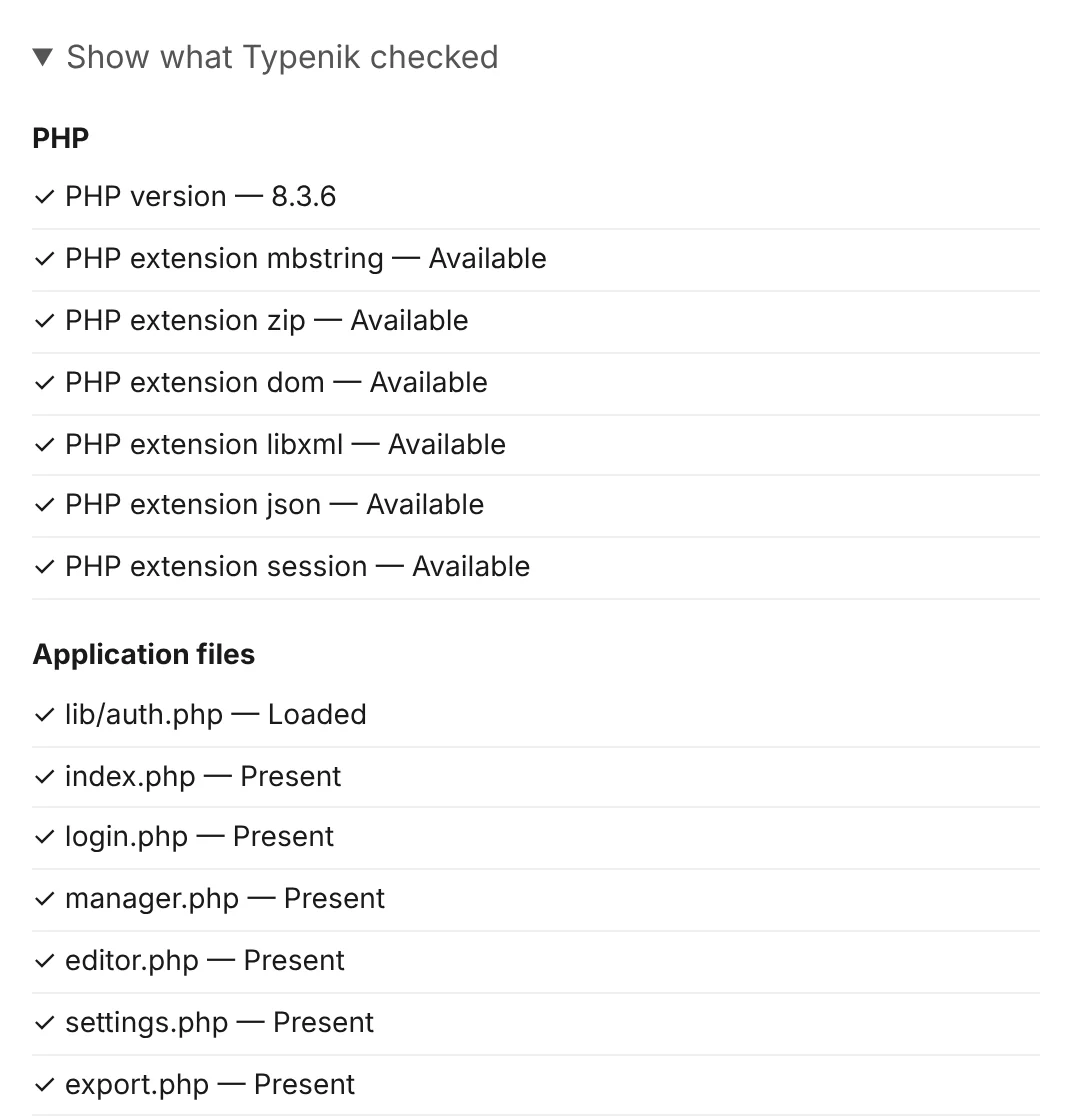
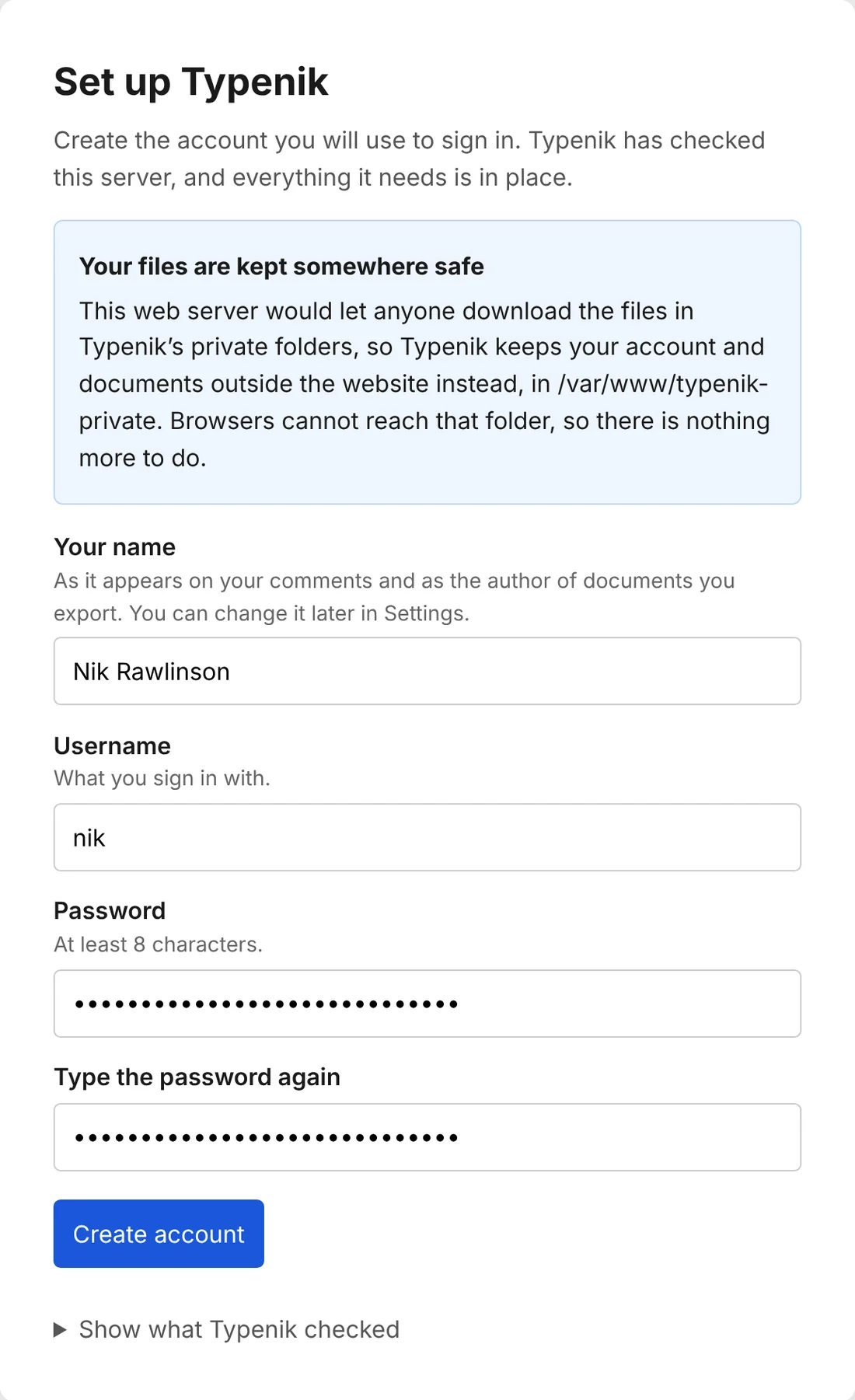
If your web space runs PHP, it runs Typenik. There’s no database to set up and nothing to configure: setup checks the server and keeps your files private by itself.
- public_html/typenik/
├─ assets/
├─ documents/
├─ lib/
├─ editor.php
├─ index.php
├─ setup.php
└─ … // as unzippedUpload
Put Typenik’s files in a folder on your web space – shared hosting, a VPS or a Raspberry Pi on the shelf.
Visit
Open that folder’s address in your browser. Setup checks PHP, the files and their privacy for you.
Write
Enter your name, choose a password, and start your first document.
Your words deserve a home of their own.
Typenik is free to download, free to use and free of anything that watches you write.
- Version 0.9.16
- PHP 8.2+
- Price £0