Download
Free to download. Yours to keep.
Typenik costs nothing, needs no account with anyone, and runs on almost any web hosting. Download it, upload it, and you’ll be writing in about five minutes.
- Version 0.9.16
- ZIP archive
- Includes the user guide
Requirements
If it runs PHP, it runs Typenik.
Typenik needs no database and no background service: just a web server, PHP and somewhere to keep files. Almost all web hosting qualifies, and a Raspberry Pi on a home network is plenty.
On your own Debian or Ubuntu server, this is usually all it takes:
# Apache, PHP and the extensions Typenik uses
sudo apt install apache2 php php-mbstring php-zip php-xml
sudo systemctl restart apache2
| You need | Details |
|---|---|
| A web server | Apache, nginx, IIS, LiteSpeed, Caddy or lighttpd |
| PHP 8.2 or newer | With mbstring, zip, dom, libxml, json and session – most hosts include them all |
| Write access | PHP must be able to create and change files in Typenik’s folder, which is normal on your own hosting space |
| Disk space | 500 MB to start is plenty; allow more for long version histories |
| A browser | A current Chrome, Edge, Firefox or Safari, on a computer, tablet or phone |
| HTTPS | Optional on a trusted home network; strongly recommended on the internet |
Installing
Three steps. Setup does the fiddly part.
- public_html/typenik/
├─ assets/
├─ documents/
├─ lib/
├─ editor.php
├─ index.php
├─ setup.php
└─ … // as unzippedUpload
Unzip the download and upload everything inside it to a folder on your web space, keeping its folders as they are – or to the main folder of a website of its own.
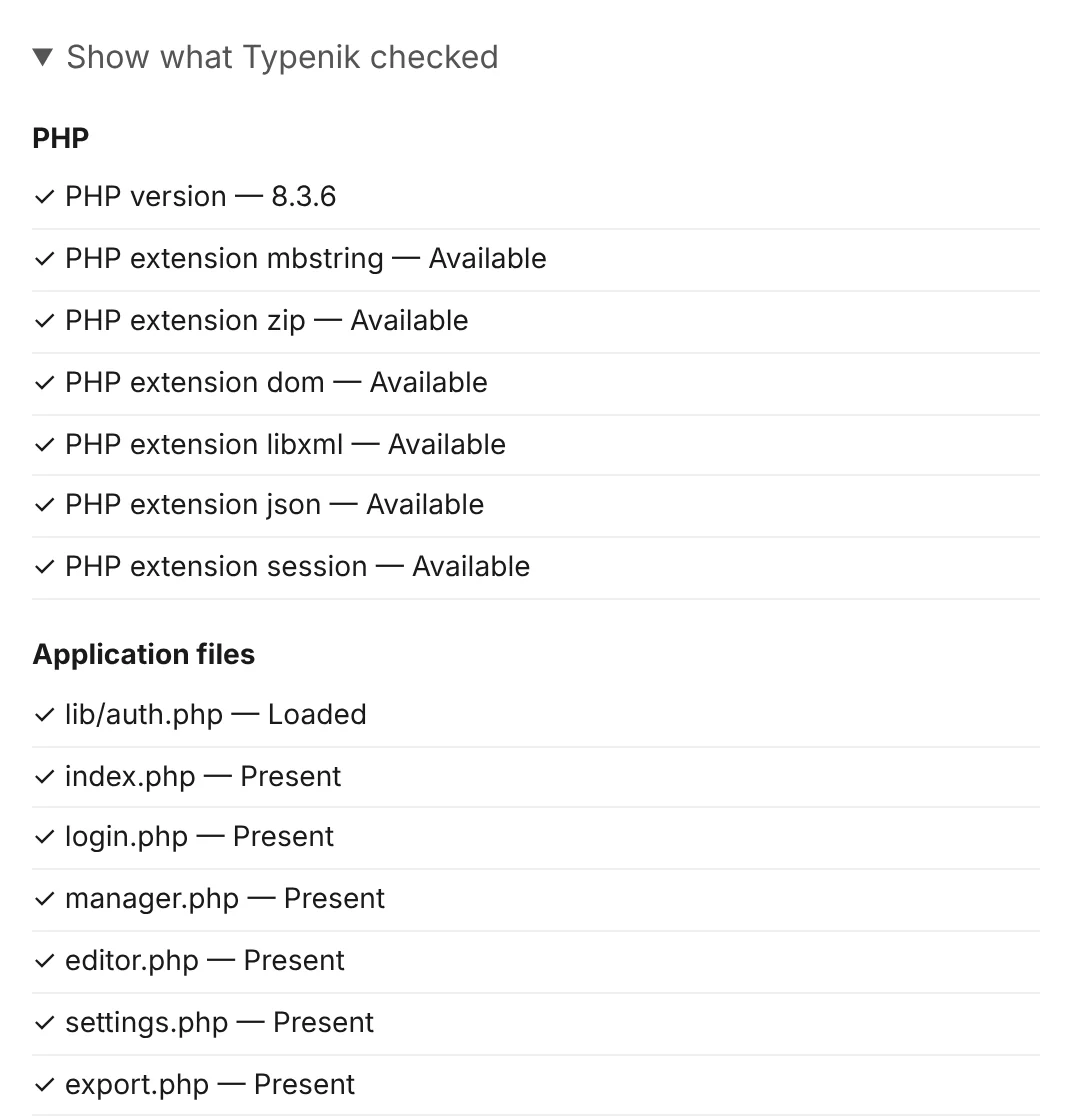
Visit
Open that folder’s address in your browser. Setup checks PHP, its extensions, the files and their permissions, and only speaks up if something needs fixing.
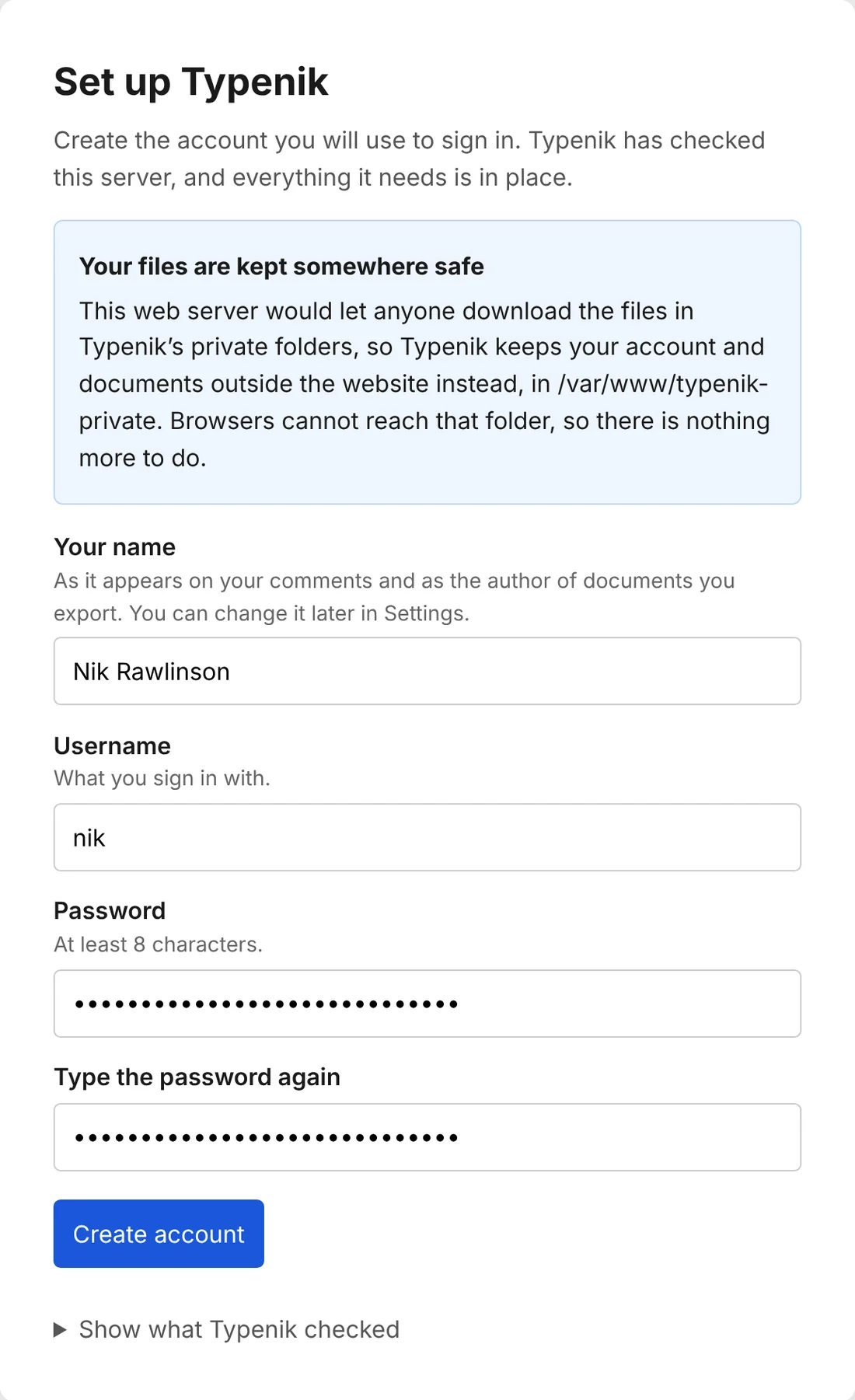
Create your account
Enter your name, choose a username and password, and save the recovery token it shows you somewhere safe. Then start writing.
Your files are kept private by themselves. Setup tries to download its own private files exactly as a stranger would. If it can, it writes the server rules to stop it – or moves your files to a folder outside the website, where nobody can reach them – and tells you what it did.
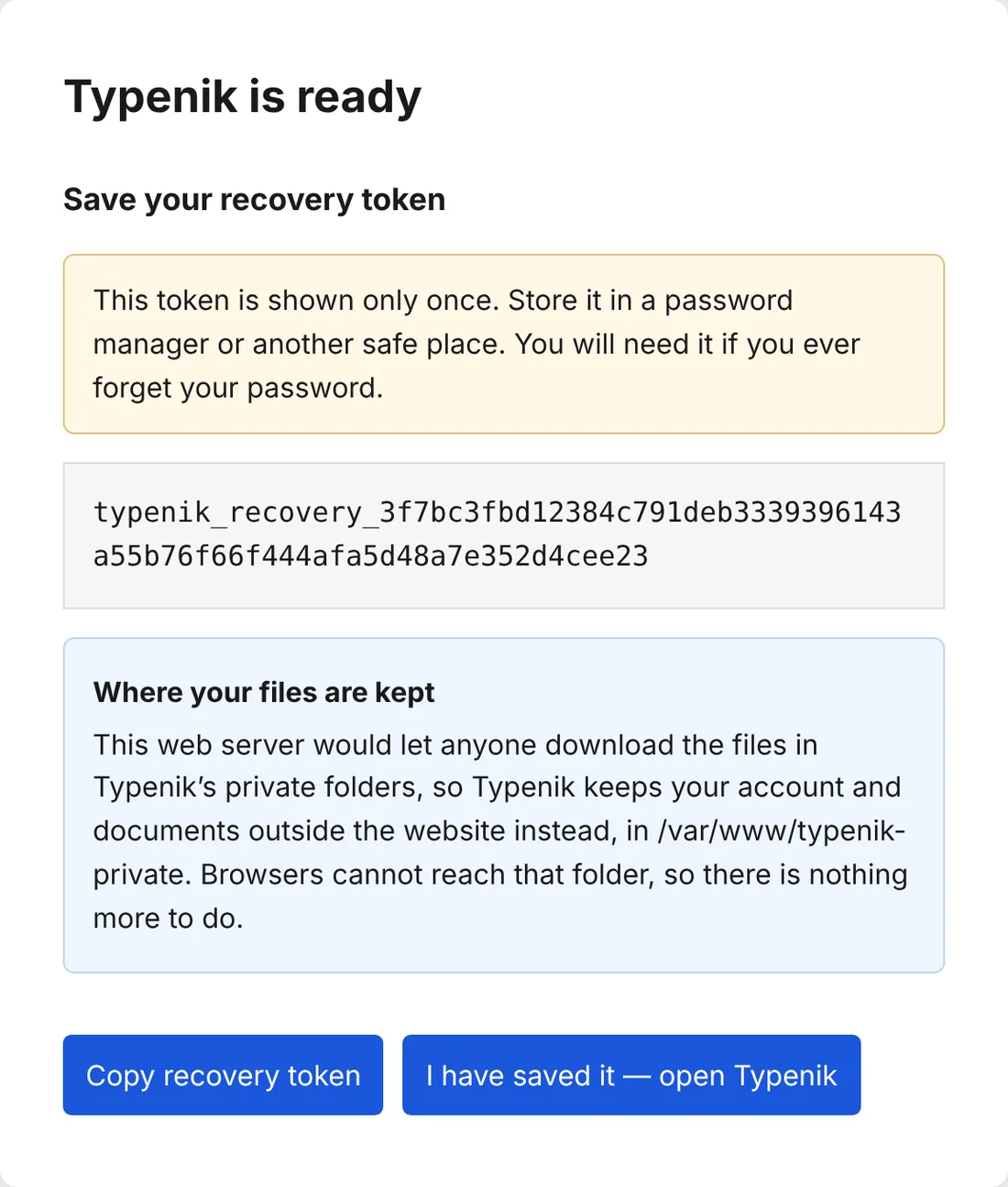
When your account is ready, Typenik shows your recovery token once. Keep it in a password manager: it’s the only way back in if you forget your password.
Upgrading to a new version
Download a full backup first. Then upload the new files over the old ones, leaving your data and documents folders alone (apart from the user guide, which is replaced with the new edition). Typenik reads documents from earlier versions.
Moving to another server
Copy the whole folder, documents and all, to the new server. Or download a backup, install Typenik afresh and restore it: your documents, books, projects, tags, layouts and cuttings come with you.
Questions
Before you download.
Is it really free?
Yes. There’s no price, no subscription, no premium tier and no account to create with anyone but yourself. You need somewhere to run it, which many people already have.
Do I need a database?
No. Typenik keeps everything as ordinary files in folders, so there’s nothing extra to install, configure or back up beyond the files themselves.
Can several people share one Typenik?
Typenik is designed for one writer, with one account. To work with an editor, send them a Word or OpenDocument file, or a share link: their comments and tracked changes come back in when you import the file they return.
Does it work on a phone or tablet?
Yes. The documents page adapts to small screens and the editor works in mobile browsers, so you can pick up where you left off on any device.
Does it work offline?
Typenik saves to your server, so it needs to reach it. If the connection drops while you’re writing, your browser keeps a recovery copy of what hasn’t been saved yet, and Typenik offers it back when you return. On a home network, your server is never far away.
What happens to my writing if I stop using Typenik?
Nothing. It’s already in plain files on your server, which you can open in any text editor. Before you go, you can export everything as Word, OpenDocument, Markdown, web pages or plain text.
Will it send anything to anyone?
No. Typenik has no analytics, adverts or tracking, and talks only to your own server. It uses a single cookie, to keep you signed in.
Ready when you are.
One download, three steps, and a quiet place to write that’s entirely your own.