Your files
Your words, in files you can hold.
Typenik doesn’t keep your work in a database or on somebody else’s service. Every document is one plain, readable file on your own server, saved as you write, with earlier versions kept and a full backup a click away.
One document, one file
Open it in any text editor. Today or in twenty years.
A Typenik document is a single .json file: plain text that holds the title, the words and their formatting, the tags, the layout, the comments and the cuttings. Nothing is hidden anywhere else. You can read it without Typenik, copy it with anything, and keep it however you keep your other files.
- No database to install, configure, upgrade or back up
- Move to a new server by copying Typenik’s folder
- Leave whenever you like: nothing is locked away
├─ documents/
│ ├─ the-salt-road-1.json
│ ├─ the-salt-road-2.json
│ ├─ ten-years-of-e-ink.json
│ ├─ archive/
│ ├─ backups/ // restore points
│ └─ books/
├─ data/ // account, projects, settings
└─ … // Typenik itself
// the-salt-road-1.json (shortened)
{
  "id": "the-salt-road-1",
  "title": "The Salt Road — 1. Low Tide",
  "html": "<h2>One</h2><p>The causeway showed itself twice a day…",
  "target": 3500,
  "tags": ["novel", "draft"],
  "updated": "2026-11-11T10:12:00+00:00",
  "cuttings": [ … ]
}
Safety nets
Six layers between you and a lost afternoon.

Automatic saving
Pause typing and Typenik saves to the server. The status line always says where things stand.
Recovery copies
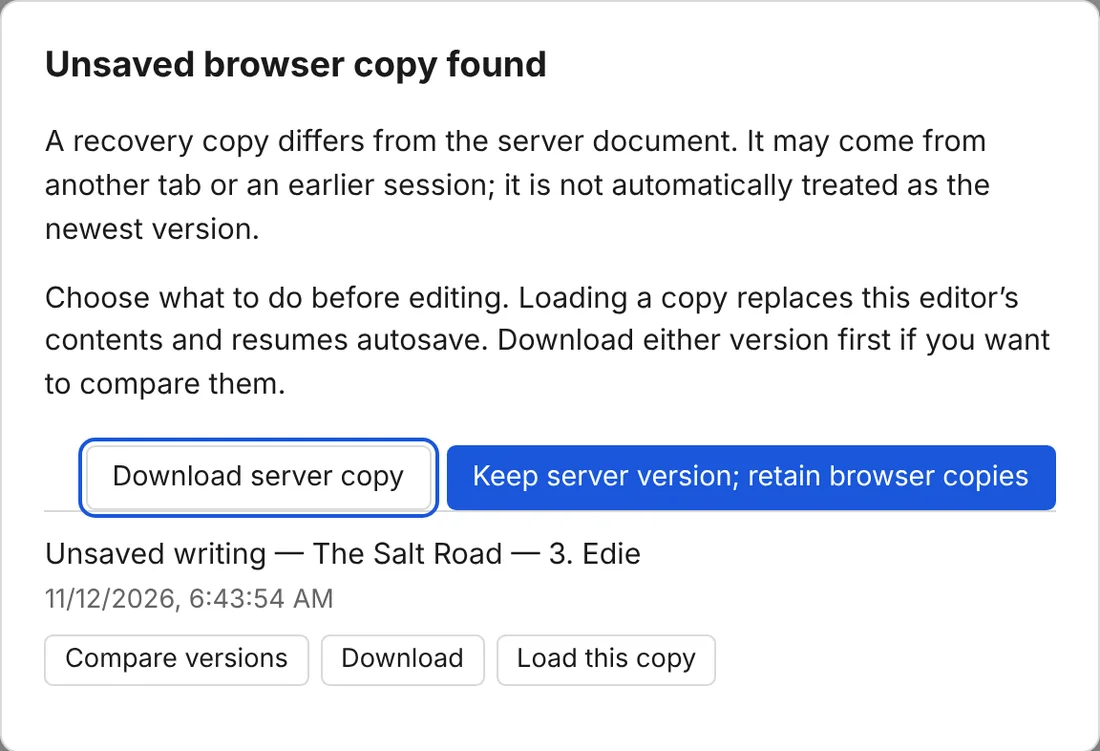
Your browser keeps a copy of unsaved text, so a dropped connection or a closed tab doesn’t cost you a sentence.
Version history
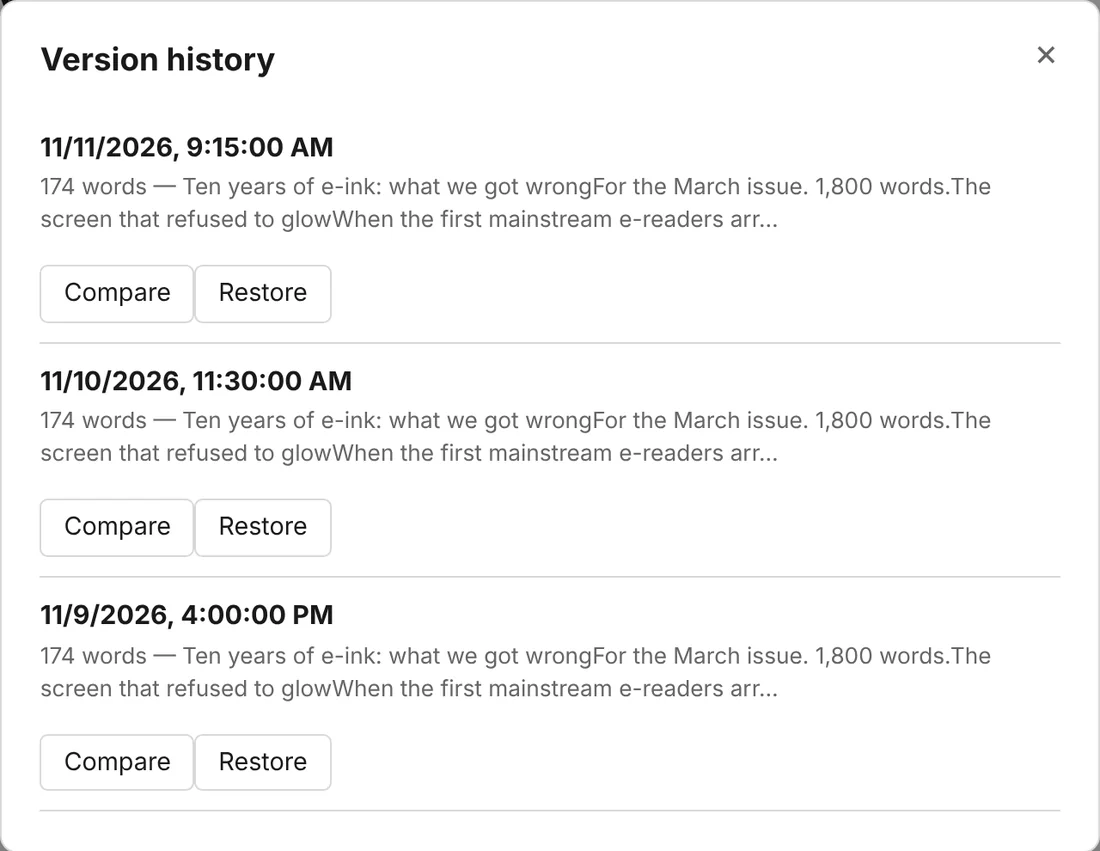
A restore point every five minutes or so while you work – the last 20 for each document – to compare and bring back.
No overwriting
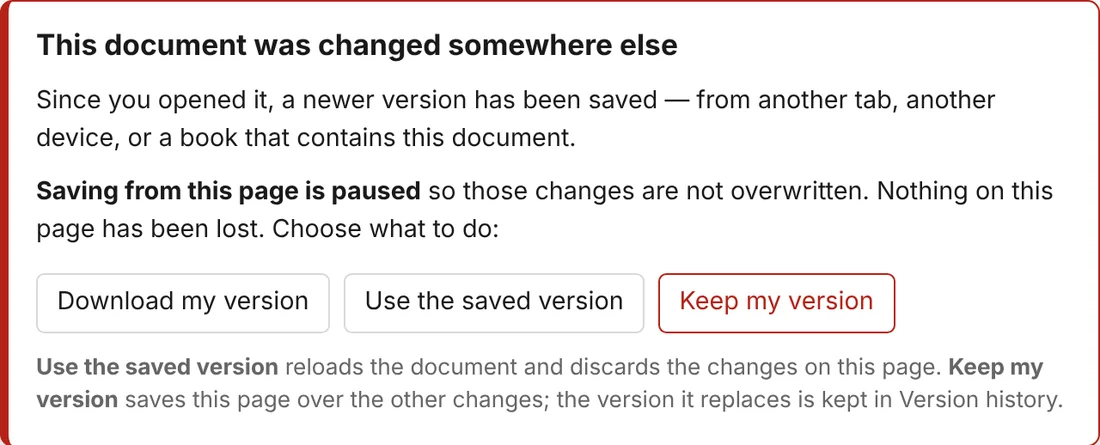
Change a document in two tabs or on two devices, and Typenik asks before one saves over the other.
Snapshots
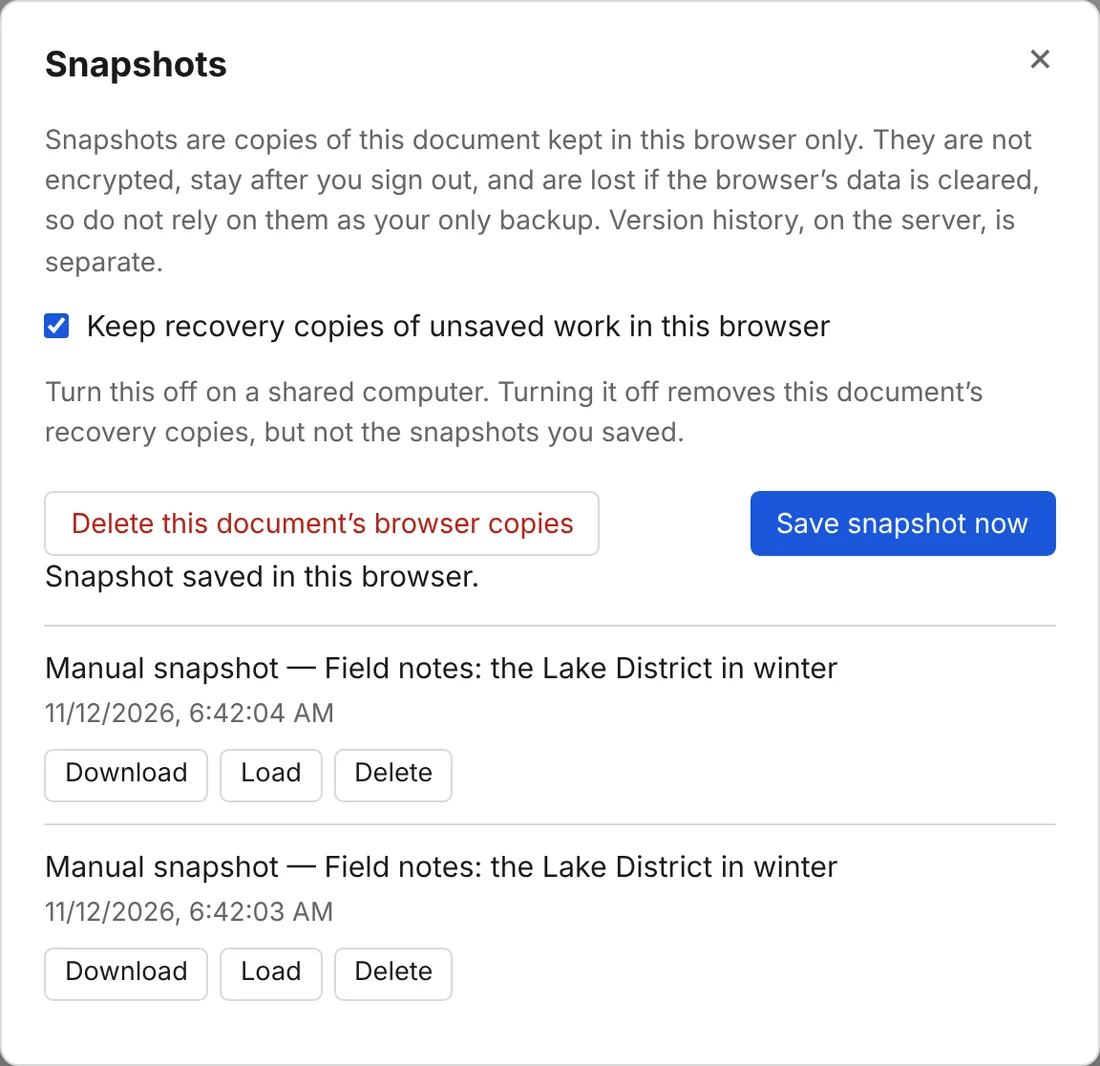
Save up to 20 snapshots of a document in your browser before a big rewrite, and load one if the rewrite doesn’t work out.
Full backups
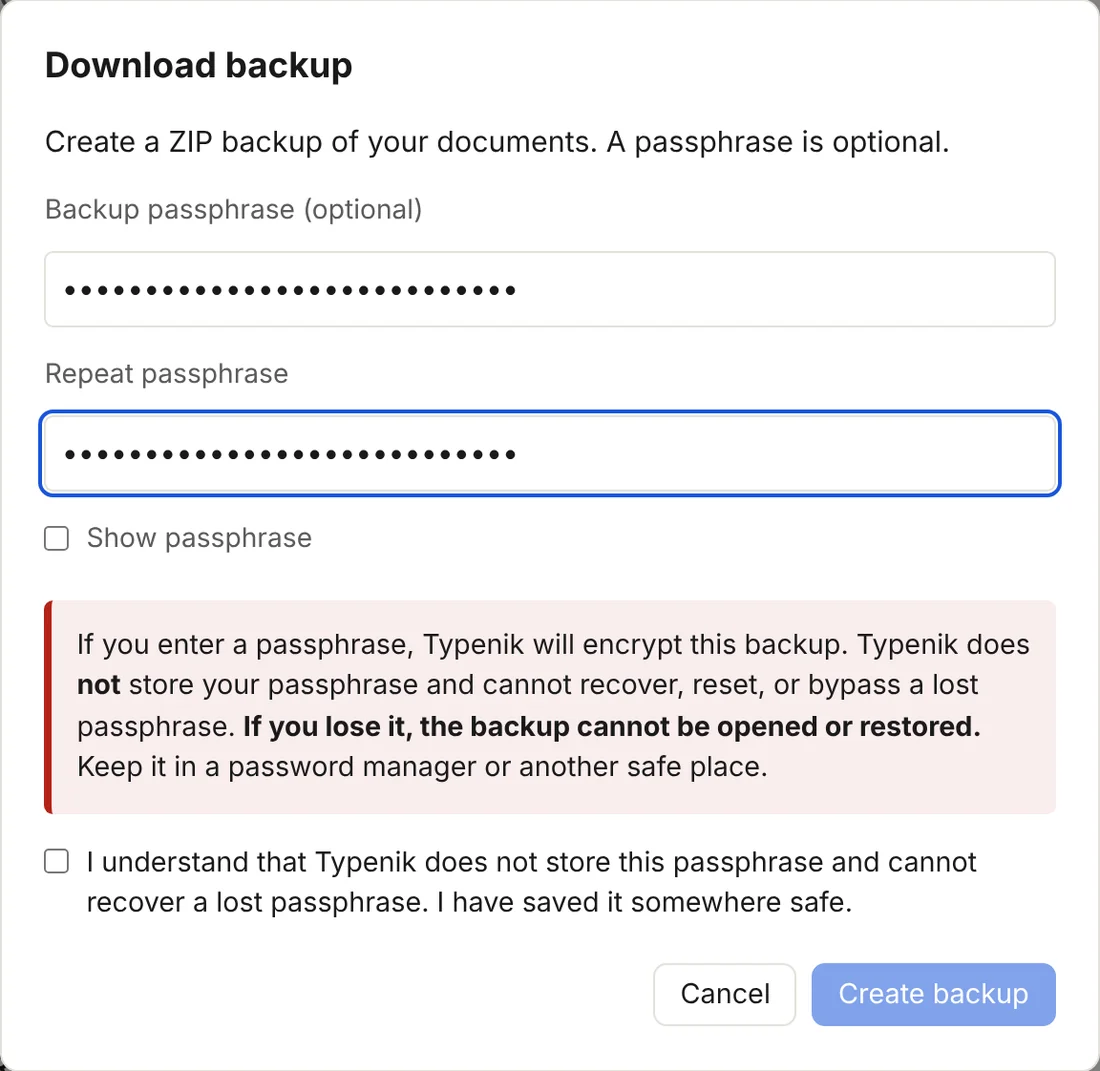
Download every document and book as one ZIP, encrypted with a passphrase if you like. Typenik reminds you when one is due.
Version history
Compare first. Restore if you’re sure.
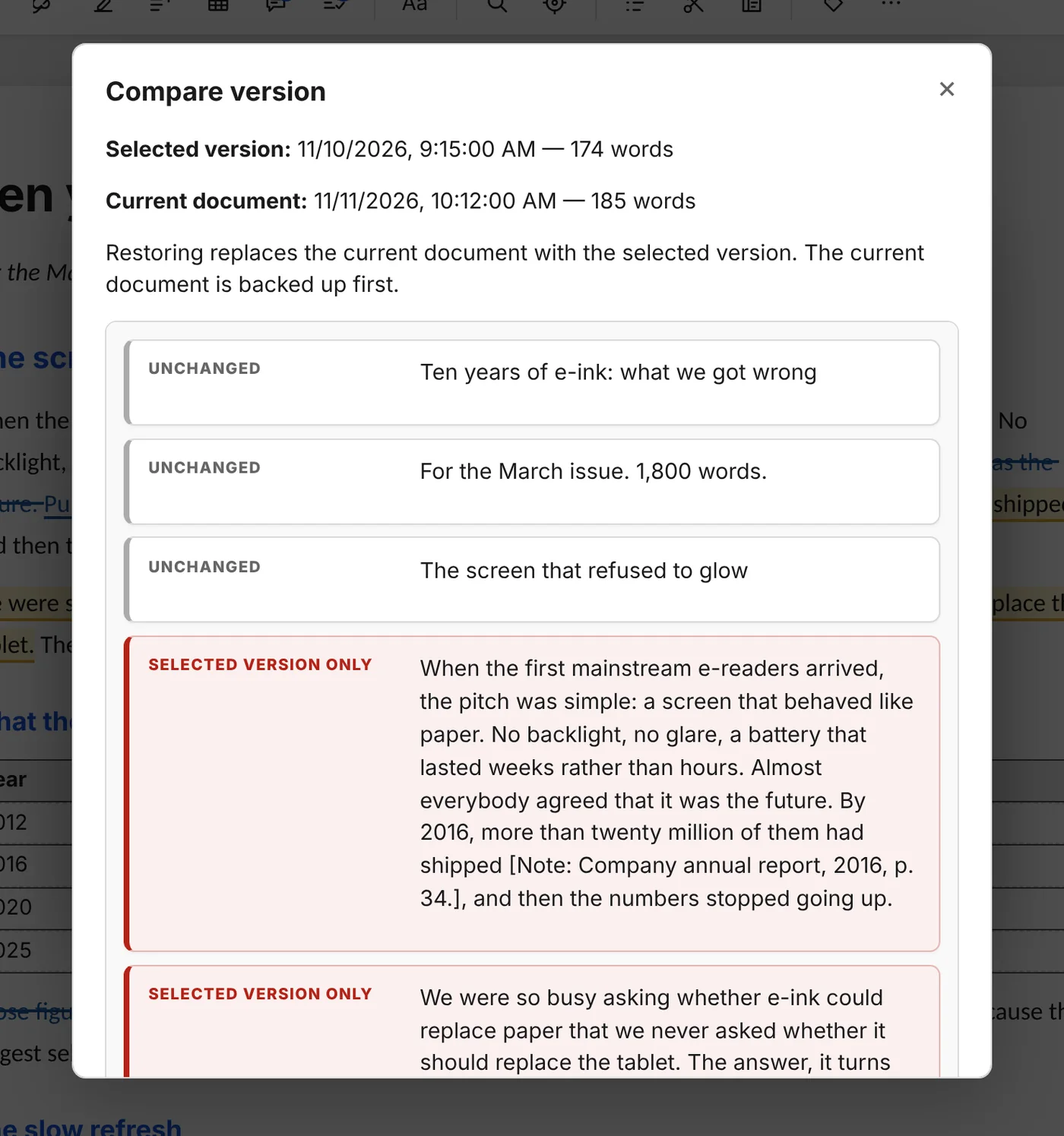
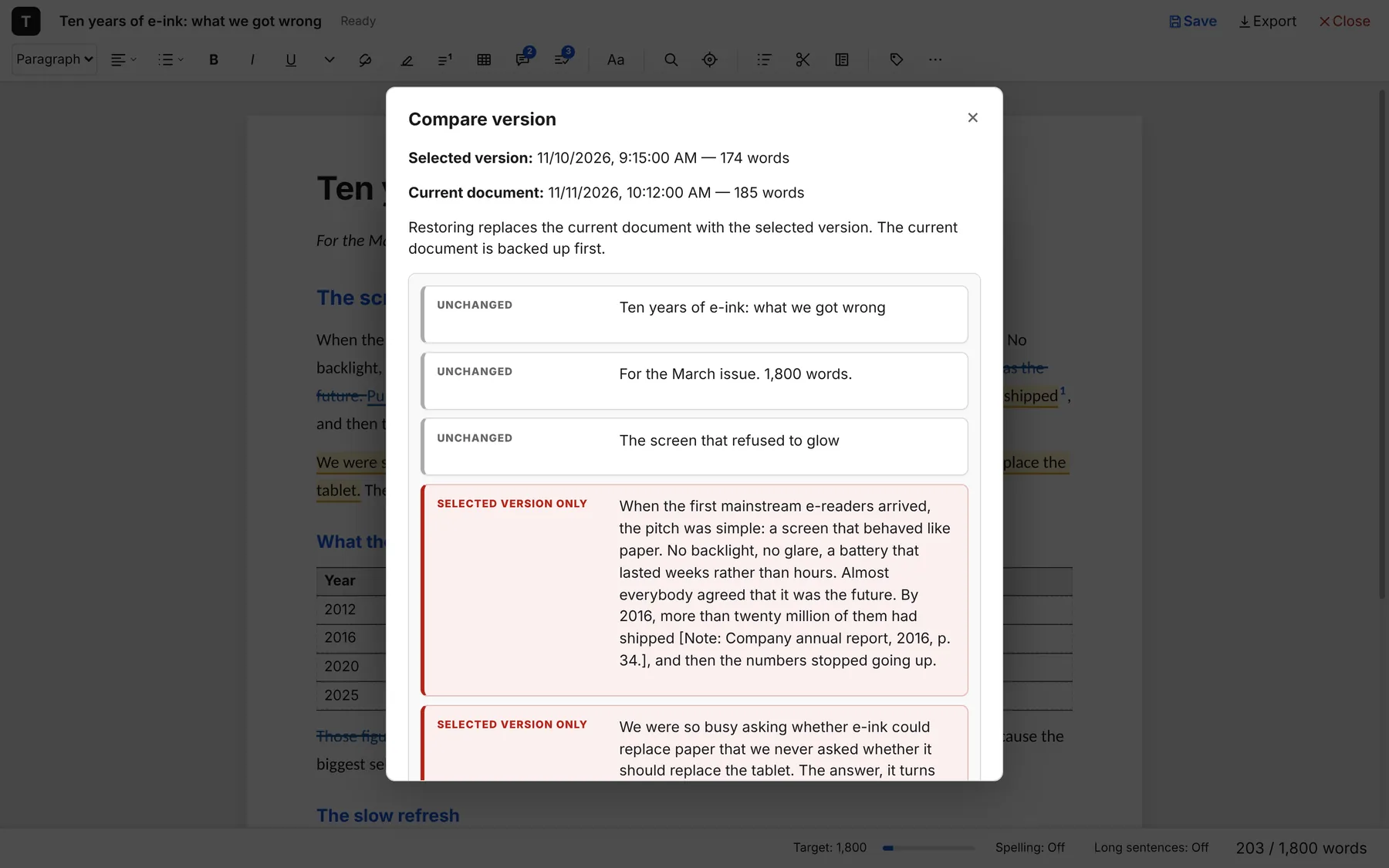
Open a document’s history to see each saved version with its date, time, word count and first few words. Compare lines it up against today’s text paragraph by paragraph – footnotes and tables included – with every added, removed and changed paragraph marked.
Restore it and Typenik backs up the current text first, so even a restore can be undone.
Privacy
No one is watching you write.
Typenik runs on your server and talks only to your server. There’s no analytics, no advertising, no telemetry and nothing phoning home.
- One cookie, to keep you signed in, deleted when you close the browser or sign out
- Preferences stay in your browser and are never sent anywhere
- Setup checks your private files can’t be downloaded – and moves them out of reach if they can
- Encrypted backups for anything you keep in the cloud
Who is it for?
Typenik is designed for one writer. There is one account, protected by a password and a recovery token that only you hold. If you forget the password, the token lets you back in; nobody else – not even the person who made Typenik – can.
Running Typenik on the internet? Use HTTPS, and the sign-in cookie is only ever sent securely.